Start with your photos.
Connect PhotoPrism, Immich, or both. Choose favorites, albums, or recent photos. The iOS app can also send photos directly, without a library.
 Framewrk.
Install Framewrk
Framewrk.
Install Framewrk
Made to be seen
A self-hosted home for your digital photo frames. Connect your photo library, choose what belongs on each frame, and let Framewrk keep them updated automatically.
Runs on your computer or NAS. Set your rules once.



The trip you still talk about. The people you love. The little things you almost forgot. Framewrk brings those photos out of your library and onto your frames, with a place for each one.
01 / Bring your photos home
Connect a library for automatic updates. Set the size and orientation for each frame once. Send something straight from your phone whenever you like.
Connect PhotoPrism, Immich, or both. Choose favorites, albums, or recent photos. The iOS app can also send photos directly, without a library.
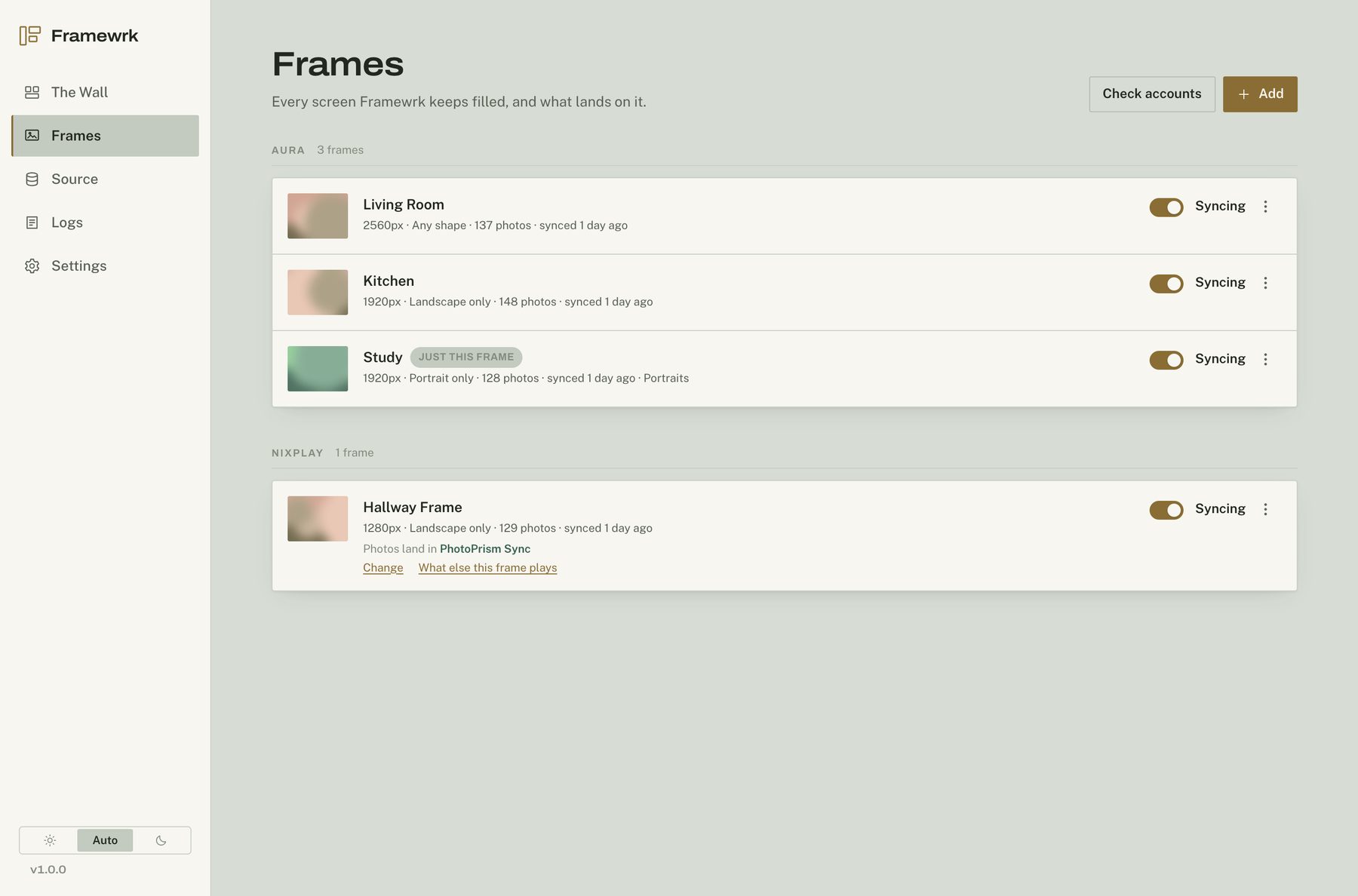
Family favorites in the kitchen. Travel photos in the hallway. Set a source, image size, and portrait or landscape rule for each frame.
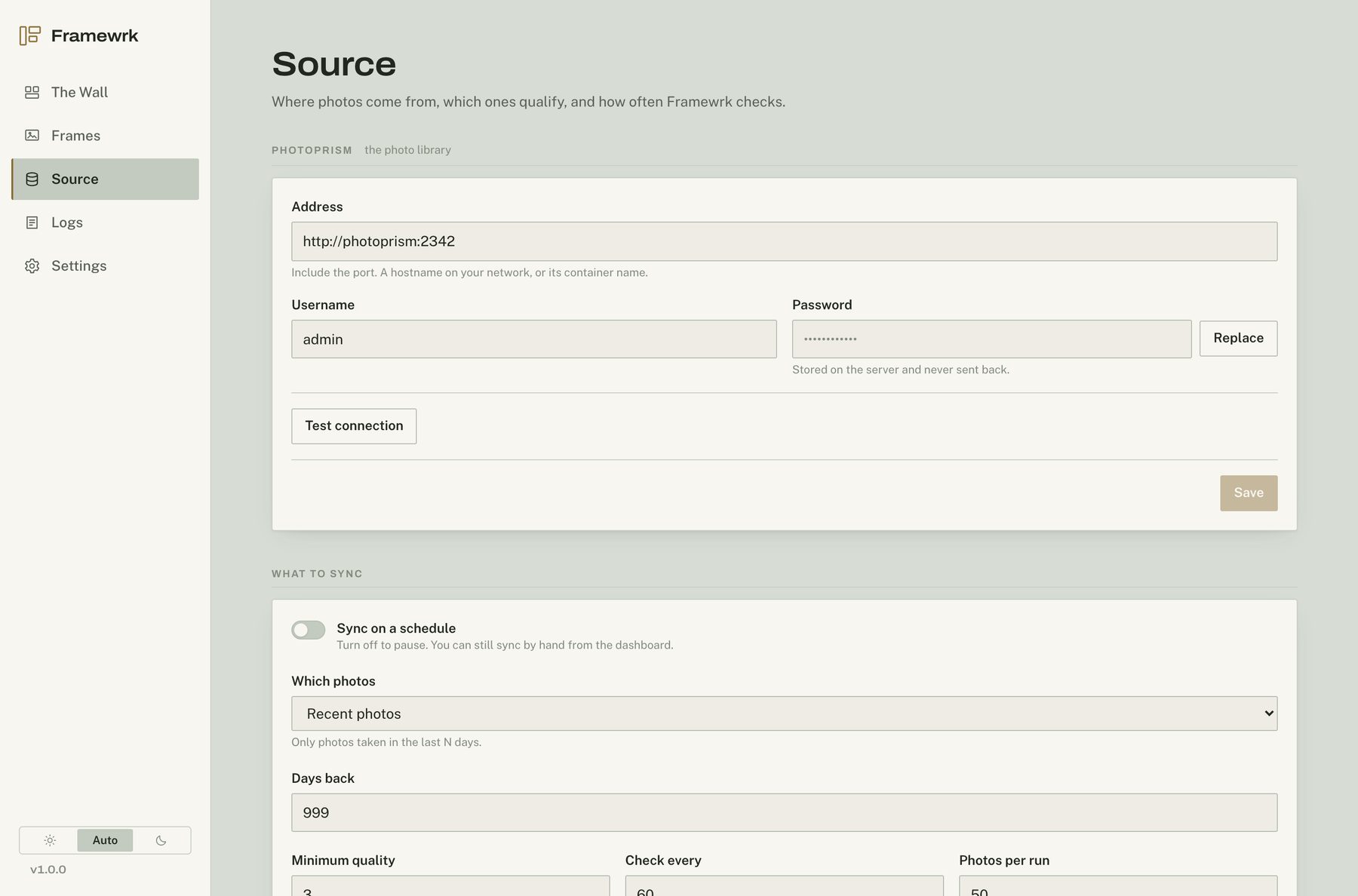
Framewrk checks your library on a schedule, resizes new photos, and sends them to the right frames automatically.
PhotoPrism / Immich → Aura / Nixplay
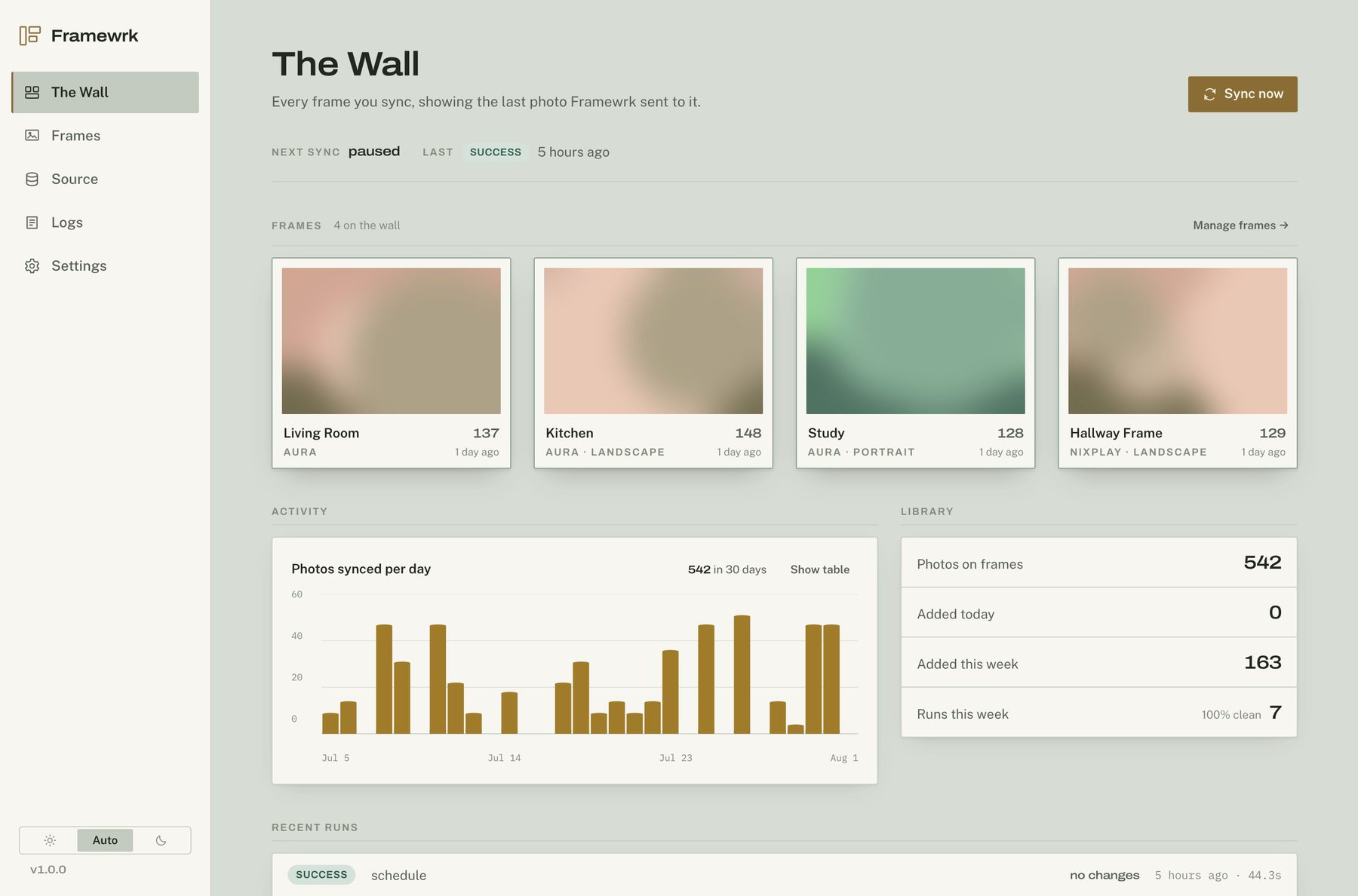
02 / A view of the whole house
Connect your accounts, choose your rules, and see what has been sent. Everything is set up in your browser.
03 / Straight from your phone
Some photos shouldn’t have to wait for the next library sync. Pick photos in Framewrk, or share them from Photos and other apps. Choose your frames and send.
Your phone uploads each photo once. Your Framewrk server handles resizing, frame orientation rules, and delivery. Recent confirms when the server has received it.
Set up phone sharingiPhone & iPad · iOS 18 or later · App currently in beta
 A moment worth sharing.
In Framewrk or your favorite photo app.
Pick one, a few, or select them all.
Your server takes it from here.
04 / At home on your hardware
One Docker container on your computer or NAS. One folder for its data. Connect your accounts in the console, then make it your own.
mkdir framewrk && cd framewrk
curl -O https://raw.githubusercontent.com/smichalczyk/framewrk/main/compose.yaml
docker compose up -d
docker compose logs
Find the admin password in the log, then open http://your-host:8770 to get started.
Framewrk runs on Linux, macOS, Windows, and popular NAS platforms. Images are available for amd64 and arm64.
Find your install guideConnect a frame account first. Add a photo library for scheduled sync, or use the iOS app over HTTPS for direct sends.
A few practical details
PhotoPrism or Immich is needed for scheduled library sync. You can also send photos directly from the Framewrk iOS app without either library. You’ll need a running Framewrk server and a supported frame account.
Framewrk supports Aura frames and Nixplay albums attached to physical frames. For Nixplay, the console shows which frames play each album, including albums shared by multiple frames.
Library sync applies the new selection and orientation rules on the next run. Aura supports removing photos that no longer qualify. Nixplay does not support individual photo removal. Direct sends follow orientation rules when received and before delivery, and remain independent of library selection.
Full images are released when all destinations finish or skip. Images that still need a retry expire after seven days; previews expire after 90 days. The pending upload queue is limited to 512 MiB or 1,000 photos. Delivery records remain for history and duplicate detection.
The Framewrk server is free to use on your own hardware. It is not open source. See the license for the full terms. The iOS app is currently in beta.
Framewrk